

DataCamp vs Dataquest comes down to one trade-off: Dataquest is the better choice if you’re serious about landing a data job, because its projects use downloadable datasets you can push to GitHub and walk a hiring manager through ($49/month or $399/year). DataCamp is the better choice if you’re still deciding whether data work is for you, learn best from video, or want one library spanning Python, R, SQL, Tableau, Snowflake, and AWS ($27.50/month billed annually). They’re priced about $69/year apart — the format gap matters far more than the price gap.
DataCamp or Dataquest: which one should you pay for in 2026?
DataCamp vs Dataquest Quiz: which one is right for you?
DataCamp vs Dataquest: the short answer
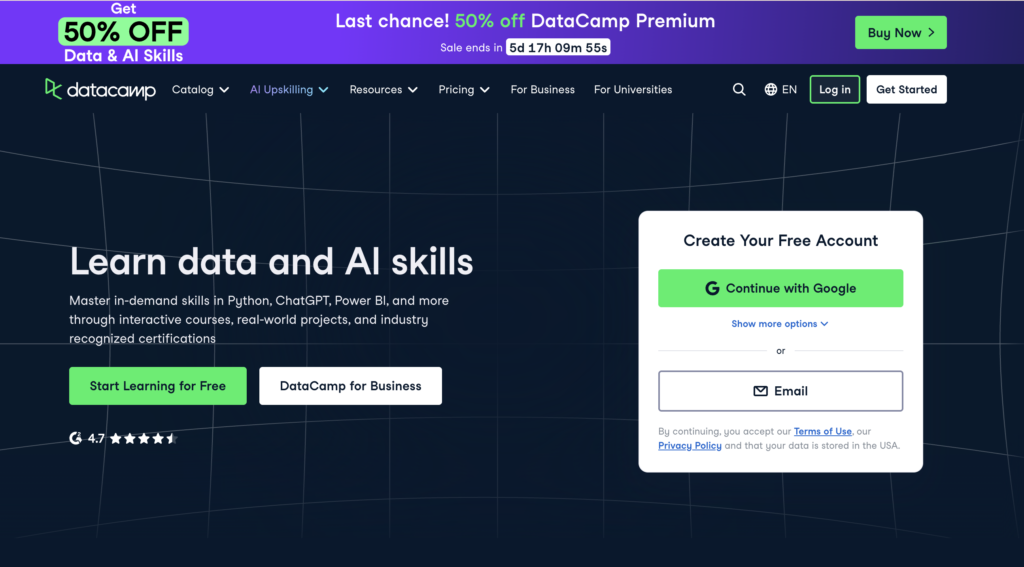
Choose DataCamp if you:
- Learn faster from a 3–4 minute video than from a wall of text
- Want one subscription that touches Python, R, SQL, Tableau, Power BI, Snowflake, dbt, Git, and a pile of other tools
- Need a phone app so you can squeeze 15 minutes of practice into a commute
- Are at “is data work even for me?” and want to spend less while you figure that out
- Like XP, streaks, and gamified progress as a motivation hack
- Have a .edu email and qualify for the 50%-off student plan
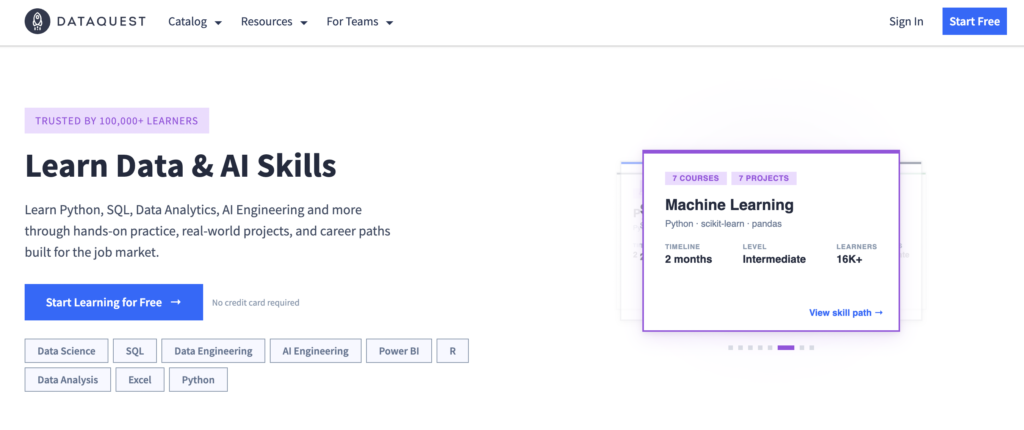
Choose Dataquest if you:
- Are actually trying to land a data analyst, data scientist, or data engineer job
- Want projects you can download, push to GitHub, and walk a hiring manager through
- Prefer to read a short explanation and immediately write the code yourself
- Want a curriculum that points at one job role and ignores everything irrelevant
- Don’t mind paying more upfront if it shortens your job hunt
- Will sit at a desk to learn (no mobile app exists)
Head-to-head comparison
| Feature | DataCamp | Dataquest |
|---|---|---|
| Price (individual, annual) | $14–$28/mo (from $168/year) | $22-$49/month ($399/year) |
| Free tier | First chapter of every course | First lessons of every course |
| Number of courses | 727, 109 skill tracks, 30 career tracks | 129 courses, 8 career paths, 26 skill paths |
| Teaching format | Short videos + fill-in-the-blank exercises | Text explanations + open code editor |
| Project datasets | Not downloadable | Downloadable for portfolio use |
| AI assistant | DataLab (OpenAI-powered, full notebook) | Chandra (Code Llama 13B, tuned for teaching) |
| Mobile app | iOS + Android | None (desktop only) |
| Languages covered | Python, R, SQL, Scala, Julia, Java | Python, R, SQL |
| Tools covered | Tableau, Power BI, Looker, Snowflake, Databricks, AWS, Azure, dbt, Docker | Python ML/stats stack, Tableau, Power BI, PostgreSQL |
| Certifications | Course certificates + Data Scientist / Data Analyst Professional Certs | Path and course completion certificates |
| Course Report rating | 4.38 / 5 (146 reviews) | 4.79 / 5 (65 reviews) |
Pros and cons: DataCamp
✅ Pros
- Cheapest entry point at $14/month annual with a descount ($168/year)
- Catalog covers nearly every tool a working data team touches (Snowflake, Power BI, dbt, ChatGPT, Tableau)
- Video instruction lowers the barrier for visual learners and absolute beginners
- iOS and Android apps let you practice during commutes or lunch breaks
- Gamification (XP, streaks, daily challenges) keeps motivation up in week three
- Free tier gives you the first chapter of every course (good for sampling)
- DataLab notebook connects to real Snowflake and BigQuery databases
- 14-day money-back guarantee
❌ Cons
- Fill-in-the-blank exercises are easy to fake through without learning
- Project datasets are not downloadable, so portfolio building is harder
- Catalog breadth means decision paralysis: what should you actually do?
- DataLab’s AI assistant can write your code for you, which kills retention
- Several Reddit users report being auto-renewed without realizing it; check your billing
- Career tracks don’t always flow smoothly from one course to the next
Pros and cons: Dataquest
✅ Pros
- Downloadable datasets on every project, so your work goes to GitHub
- Text-then-code format forces you to write the full solution yourself
- Career paths map to actual jobs (Data Analyst, Data Scientist, Data Engineer)
- Chandra AI assistant guides without giving away answers
- Outcome guarantee: complete a path, request a refund if you’re not satisfied
- Course Report rating (4.79/5) is the highest in the category
- Read-aloud feature on every lesson screen if you prefer to listen
- Genuine reputation among hiring managers in data analyst circles
❌ Cons
- More expensive: $49/month or $399/year vs. DataCamp’s $330
- No mobile app, so no commute-time practice
- Catalog is small (109 courses) compared to DataCamp’s 670+
- R and SQL content has historically been weaker than the Python material
- Steeper learning curve in the first two weeks, so beginners can bounce
- One Reddit reviewer noted the code editor can lag on simple submissions
- Interface looks older than DataCamp’s polished, gamified UI
Pricing
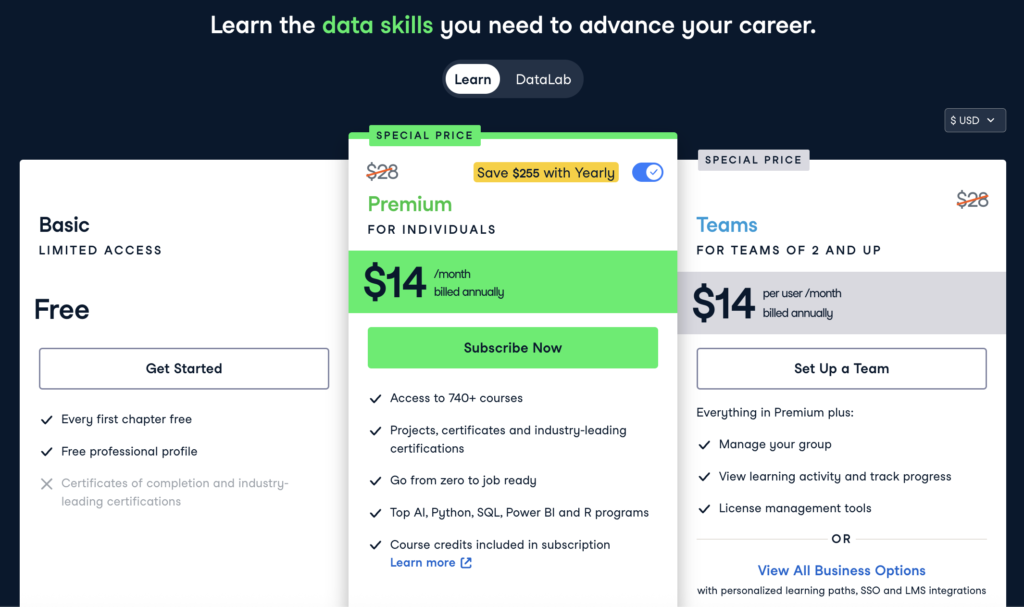
DataCamp is the cheaper of the two on every dimension that matters to an individual learner. Premium runs $28/month when you pay annually (there’s currently a special price of $14/month), which lands at about $336 for the year.
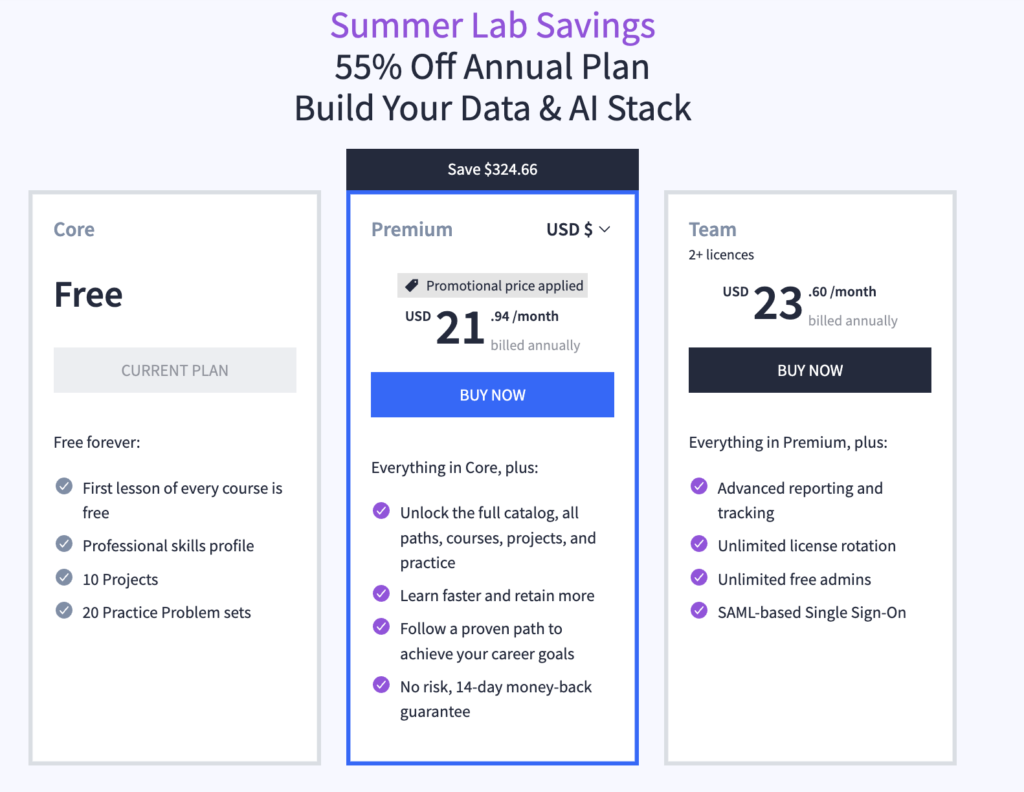
Dataquest charges $49/month or $399/year for Premium but there’s currently a sale, so you can buy the plan for $22/mo. There’s a lifetime plan that surfaces on sale at around $500–$700. Path graduates get an outcome guarantee on top of the standard 14-day refund window: complete a career path and request a refund if you’re not satisfied with the outcome.
| Plan | DataCamp | Dataquest |
|---|---|---|
| Free | First chapter, every course | First lesson of every course |
| Monthly | $28 (or $14 with the current discount) | $49 |
| Annual | $336 ($28/month) or $168 $14/mo with the current discount | $264 |
| Lifetime | None | $705 |
| Student | $164/year | Academic discount via Dataquest for Teams |
| Team | $14/user/month (annual) | Custom pricing |
The headline gap is $96 a year. For a serious career changer that’s nothing. If a platform shaves three months off your job hunt, that’s $10K–$15K of salary you didn’t have to wait for, which makes the $69 invisible. If you’re testing the water, the gap matters more because there’s no payoff yet, so DataCamp is the lower-risk bet. For a wider price reference point against the other big subscription player, see our Coursera pricing breakdown.
Teaching style: video and fill-in-the-blank vs. text and open editor
This is the single biggest reason to pick one over the other, and the format gap shows up the second you start a free lesson.
How DataCamp teaches you
You watch a 3–4 minute video where an instructor (often a PhD or industry expert) walks through a concept with slides and code. The video ends, and you’re dropped into an exercise where some code is already written for you. The instructions tell you exactly which line to edit and what to put there: “Use the mean() method on the df['sales'] column to find its average.” You fill in the blank, hit submit, earn XP, move to the next exercise.
For absolute beginners, this works. Video lowers the activation cost. Pre-written code means you don’t get stuck on syntax noise while you’re trying to understand the idea. XP and streaks make daily practice feel like a game. The catalog is huge, so once you finish Python basics you can immediately try R, then SQL, then Tableau, then Snowflake.
The trade-off is that fill-in-the-blank is easy to fake your way through. Reddit users have been making the same complaint for years:
“The exercises are all fill-in-the-blank. This is not a good teaching method, at least for me. I felt the exercises focused too much on syntax and knowing what functions to fill in, and not enough on explaining why you want to use a function and what kind of trade-offs are there.”
“It’s good if you lack the basics of python and getting to know pandas, numpy, seaborn, mpl, basic sklearn and stats. Once you’ve passed the basics, it doesn’t really help you as the coding exercises are basically filling the blanks.”
“If you rush through the courses like some speedrunner, then you won’t learn anything.”
DataCamp users tend to finish a track feeling like they’ve seen the material. Whether they could write a working analysis from scratch on day one of a job is the open question.
How Dataquest teaches you
You see a split screen. Left side: a short text explanation with examples and a diagram or two. Right side: an empty code editor. You read for two minutes, then you write the whole solution. No pre-filled lines. No “edit this one variable” prompt. If you get stuck, you can use a hint, ask the Chandra AI assistant for guidance (it’s tuned not to give you the answer), or post in the community forum.
The reason this matters is that the exercises are framed as realistic scenarios, not syntax drills. One project hands you 50,000+ app reviews with messy entries and missing values and asks you to clean and analyze them. That’s the kind of work you do on day one of a data analyst job.
Reddit captured this well in one user’s voice:
“I like Dataquest.io better. I love the format of text-only lessons. The screen is split with the lesson on the left with an code interpreter on the right. They make you repeat what you learned in each lesson over and over again so that you remember what you did.”
The downside is that Dataquest feels harder, especially in the first week. You will Google. You will read Stack Overflow. You will swear at the screen. Reviewers consistently frame this as a feature, not a bug:
“A significant strength of Dataquest is that it doesn’t spoon-feed you the solutions for more complicated problems. As a result, the lack of guidance requires you to use other tools such as Stack Overflow to work your way through exercises when you get stuck. While you could argue that this is a criticism of the platform, in reality, it is mimicking the process that developers go through in real life.”
Pick DataCamp if struggling makes you quit. Pick Dataquest if struggling makes you push back.
How long each path takes
Both platforms are fully self-paced, so the real question is total hours, not calendar weeks. Here’s how the headline tracks compare, using each provider’s own published estimates.
| Track | DataCamp | Dataquest |
|---|---|---|
| Data Analyst (Python) | ~60 hours | ~160 hours / 4–6 months |
| Data Scientist (Python) | ~90–100 hours | ~240 hours / 6–8 months |
| Data Engineer (Python) | ~80–90 hours | ~80 hours / 1–3 months |
| Skill track / single path | 14–24 hours per skill track | 30 hours (e.g., Data Analyst in R) |
The pattern reviewers report: DataCamp’s hour counts look shorter because the exercises are lighter, but learners often pass through without deep retention. Dataquest’s higher hour counts reflect the time you actually spend writing code from scratch, which is the time that sticks. In practice most people finishing a full track on either platform spend four to six months at it part-time, stretching toward a year if they have a demanding full-time job.
Curriculum by subject: who wins each area
Catalog size aside, the two platforms have genuinely different strengths once you break the curriculum down by topic. Based on side-by-side reviews of both platforms’ content depth:
- Python: Roughly even, with Dataquest’s project-first sequencing giving it a slight edge for retention.
- SQL and R: DataCamp wins. It has dedicated SQL and R tracks and historically better-produced R content; Dataquest’s R and SQL material is thinner.
- Statistics and math: DataCamp’s slower, more granular pacing helps non-math learners; Dataquest adds some linear algebra and calculus.
- Machine learning: Dataquest’s one-algorithm-at-a-time approach with a guided project after each topic builds deeper understanding.
- Data engineering: DataCamp’s track is broader (data lakes, warehouses, cloud, Spark), so it wins for aspiring data engineers.
- Data visualization: Roughly even — Dataquest leans on storytelling fundamentals, DataCamp covers more advanced chart types like geographic data.
Short version: DataCamp wins on breadth (SQL, R, data engineering, tooling); Dataquest wins on the depth that translates into job-ready habits, especially in Python and machine learning.
Portfolio projects: what you can actually show employers
For anyone trying to change careers, this section is the whole game. Hiring managers don’t care about course certificates. They care about a GitHub repo with three solid projects.
Dataquest: downloadable datasets, GitHub-ready
Dataquest includes 30+ guided projects. Every dataset is downloadable. That means you can:
- Finish the guided project inside Dataquest.
- Download the same dataset locally.
- Rebuild the project in your own Jupyter notebook with your own comments and extensions.
- Push it to GitHub.
- Talk a hiring manager through it in an interview.
This isn’t theoretical. Multiple Dataquest learner stories (Aaron Melton at Aditi Consulting, Jessica Ko at Twitter, Victoria Guzik at Callisto Media) point to portfolio projects as the thing that got them hired. Dataquest’s own success-stories page lists graduates at Facebook, Uber, Amazon, Deloitte, and Spotify, with the median salary boost reported at $30K.
DataCamp: projects exist, but you can’t take them with you
DataCamp has 150+ projects and a notebook environment called DataLab. The work looks good while you’re doing it. The catch is that you can’t download the datasets. The projects live inside DataCamp’s ecosystem. You can describe what you did, but you can’t drop a clean version onto GitHub the way you can with Dataquest material.
DataLab connects to real databases (Snowflake, BigQuery) and runs an OpenAI-powered AI assistant that will fix code for you. As a productivity tool it’s stronger than Chandra. As a learning tool, that’s also the problem: when AI can do the thinking for you, “I built this” gets blurry.
Reddit users repeat the same workaround for DataCamp:
“DataCamp has a quality curriculum overall. Just keep in mind that merely completing the modules will only get you a job. Once you have more than a couple of skills, download some CSV’s from kaggle and use those skills on a real life project.”
“DataCamp is an amazing introduction to the field, but the key to landing jobs is doing your own projects/other applications with the skills.”
Translation: if you go the DataCamp route, plan to build an external portfolio on Kaggle or your own scraped data. The platform won’t hand you one.
Course catalog: breadth vs. depth
Both platforms publish the catalog size on their homepage. The numbers tell the strategy.
DataCamp publishes 720+ courses spanning Python, R, SQL, Scala, Julia, Java, Tableau, Power BI, Looker, Snowflake, Databricks, dbt, Docker, Kubernetes, Git, ChatGPT, LangChain, AWS, and Azure. There are also 100+ skill tracks and 30 career tracks, including cloud, business intelligence, generative AI, data engineering, and software engineering. If you’re a working professional who needs to learn a specific tool fast, the breadth is the value.
Dataquest publishes 130 courses with 8 career paths and 26 skill paths. Every path is built around a specific job: Data Analyst (Python), Data Analyst (R), Data Scientist (Python), Data Engineer (Python), AI Engineer (Python), Business Analyst (Power BI), Business Analyst (Tableau), Junior Data Analyst (Excel + SQL). What you won’t find: Scala, Julia, DevOps tooling, broad surveys of clouds. The catalog ignores anything that doesn’t map to a data role.
If you don’t know what to learn next, fewer choices is easier. If you already know what to learn next, more choices is better.
What users say (2026 reviews)
Reddit is where you find the real story, and the pattern has been the same for years. Here’s what keeps coming up across threads.
On DataCamp’s fill-in-the-blank format: Almost everyone agrees it’s gentle, and almost everyone over the intermediate level agrees it stops being useful. One user: “Once you’ve passed the basics, it doesn’t really help you as the coding exercises are basically filling the blanks.” Another: “You’re given so much ‘scaffolding’ or sample code that it’s very tough to get a blank notebook and replicate what you were doing.”
On Dataquest’s job outcomes: Users repeatedly credit the portfolio projects, not the certificate. “The projects on Dataquest were key to getting my job. I doubled my income.” A common piece of advice from people who used both: pick Dataquest if you’re hiring-focused.
On time commitment: DataCamp tracks take 4–6 months working in spare time. “I take the SQL data analyst track, it took me 2–3 months doing it in my free time.” Full career tracks can stretch to a year if you have a full-time job.
On certifications: Both communities arrive at the same conclusion. Certificates help you get through ATS filters; they don’t get you hired. “It wont nail the job for you, as most (all?) companies will give you a coding round or two, but it looks good on the resume.”
On pricing tricks: DataCamp runs 50%-off sales regularly. “DataCamp has regular 50% or more off sales. I doubt many people pay the full price.” Dataquest does the same on its annual and lifetime plans. Don’t pay sticker price on either.
On combining the two: A surprising amount of advice on Reddit is “use both.” Use DataCamp’s free tier to sample tools you’re curious about; use Dataquest to actually build job-ready skills. The platforms aren’t really competitors at the high end. They’re competitors for your first $300. (If you’re weighing other subscription platforms, our Coursera Plus review and Coursera vs Udacity comparison cover the next two players you’ll trip over.)
What about alternatives to DataCamp and Dataquest?
These two aren’t the only options, and “what’s better than DataCamp?” is one of the most common follow-up questions. The honest answer is that “better” depends on what DataCamp is failing to give you.
If the fill-in-the-blank format is your problem, Codecademy offers a similar interactive style with a broader coding (not just data) focus — see our DataCamp vs Codecademy comparison for the head-to-head. If you want university- and company-branded certificates that carry more weight with employers, Coursera is the natural step up; our Coursera Plus review covers what the subscription includes. And if you want project-reviewed, mentor-supported engineering programs, Udacity sits at the higher-cost, higher-structure end, compared in our Coursera vs Udacity breakdown. For pure job-ready data skills on a subscription, though, Dataquest remains the strongest direct alternative to DataCamp.
Frequently asked questions
Which is better, DataCamp or Dataquest?
For career changers and serious portfolio building, Dataquest is better — its downloadable projects, realistic exercises, and focused curriculum get you closer to job-ready work. For curious beginners, tool exploration, or anyone learning on a phone, DataCamp is better. The two aren’t really competing for the same learner: Dataquest wins on depth and outcomes, DataCamp wins on breadth, price, and ease of starting.
Is Dataquest worth it?
If you’re committed to landing a data role, yes. The $399/year (or $49/month) buys you downloadable portfolio projects, a focused job-oriented curriculum, career support, and an outcome guarantee on career paths. If you’re only sampling whether data work suits you, the cheaper DataCamp plan is the lower-risk way to find out before committing.
Can you get a job with a DataCamp or Dataquest certificate?
The certificate alone won’t do it. Hiring managers care about projects, not platform completion badges. What gets you interviews is a GitHub portfolio with three to five solid projects. Both platforms can help you build skills, but Dataquest’s downloadable datasets make the portfolio step easier.
What’s better than DataCamp?
It depends on what you’re missing. For job-ready depth, Dataquest is the strongest direct alternative. For broader interactive coding beyond data, Codecademy is worth a look. For accredited, university-branded certificates, Coursera carries more weight with employers. For mentor-reviewed engineering programs, Udacity sits at the premium end. DataCamp is hard to beat on raw catalog breadth and price.
What is the DataCamp scandal?
This refers to events from 2017–2019. A DataCamp executive — later identified as co-founder and CEO Jonathan Cornelissen — behaved inappropriately toward an employee, and the company’s initially limited response drew criticism. In April 2019, after the matter became public, dozens of DataCamp instructors publicly urged learners to boycott their own courses, and groups across the data community condemned the handling. Cornelissen stepped down from the CEO role that year. It’s worth being aware of as history, but it’s no longer the active controversy it was in 2019; the platform has since changed leadership and continued operating. Learners weighing the platform today generally judge it on its current product rather than the 2019 events.
Are DataCamp certificates recognized by employers?
DataCamp certificates are recognized as proof you completed the material, and the Data Analyst and Data Scientist Professional Certifications add a timed-assessment component that’s slightly more rigorous. But neither DataCamp nor Dataquest is an accredited credential, and most employers weigh a project portfolio far more heavily. Use the certificate as a small resume signal and an ATS keyword, not as the thing that gets you hired.
How long does it take to finish DataCamp or Dataquest?
A full career track on either platform takes 4–6 months of consistent part-time work, sometimes a year if you have a demanding full-time job. DataCamp’s individual tracks run roughly 60–100 hours; Dataquest’s run roughly 160–240 hours because you write more code from scratch. Reddit users report finishing single tracks in 2–3 months at 1–2 hours per day.
Is DataCamp’s free plan enough?
The free tier on DataCamp gives you the first chapter of every course, which is good for sampling but not enough to build skills. Dataquest’s free tier is more generous on path coverage (first 2–3 lessons of every path) but still not a substitute for a paid plan if you want to actually finish a path.
Does Dataquest have a mobile app?
No. Dataquest is desktop-only. If mobile practice matters to you, DataCamp is the answer, with full iOS and Android apps and daily 5-minute coding challenges.
Which is better for SQL and R?
DataCamp has the deeper SQL and R catalog and historically the better-produced R content. Dataquest’s R path exists but most reviewers agree the Python material is stronger. If you want to gauge where you currently stand before picking a path, try our free Python skill test and SQL skill test.
Can I use both DataCamp and Dataquest?
You can, and some people do. A common pattern is using DataCamp on mobile during commutes for breadth (a Tableau course, a Power BI primer, a generative AI intro) and Dataquest at the desk for the core career path you’re actually building toward.
The verdict
DataCamp is the better platform if you’re still asking whether data is for you. It’s cheaper, friendlier on mobile, covers more tools, and the videos make the first month less painful. The fill-in-the-blank format is its weakness once you’re past the basics, and the lack of downloadable projects means you’ll need a side portfolio plan.
Dataquest is the better platform if you’re committed to a data role and need work you can show employers. The text-and-do format builds real coding muscle. The projects go straight to GitHub. The career paths skip the noise. You pay a $69/year premium for it, which is the cheapest part of the deal if it gets you hired three months earlier.